



An image search engine is a type of search engine that allows users to search for images on the Internet. These reverse image search engines use algorithms to crawl the web for images, analyze them, and store them in a database.
When a user performs a search using an image search engine, the search engine will display a list of images that match the search criteria.
These image search engines are best that they can literally provide you images with information about the images such as their size, resolution, and the website they are hosted on.
Several image search engines are available, including Google Images, Bing Images, and Yahoo! Image Search.
These free image search engines allow users to search for images using keywords or phrases and provide advanced search options such as the ability to filter results by size, color, and type of image.
There is a variety of different image search engines to search images and here I will list down the 15 best search engines for you to search for the best visual content.
1. Google Image Search

If you are looking for the best image search engine then, google image search engines also provide you with high-quality images here.
Google Reverse image search is a search service owned by Google that allows users to search the Web for image content and you know how google works.
It was launched in 2001 and is one of the most popular image search engines on the Internet and since then it is very popular.
Google Images Features:
- High-quality images
- reverse image search
- upload image search
- Owned by google
- Launched in 2001
- Popular search engine
- Ideal for images
- Different images
2. TinEye Reverse Image Search Engine
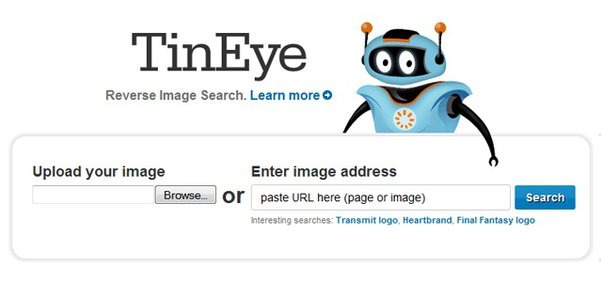
TinEye is a reverse image search engine that allows users to search for images on the internet using an image file or the URL of an image.
It is unique in that it searches for images that are similar to the one you provide, rather than using keywords or phrases to search for images.
The reverse image search engine is simple to use and you can either upload an image file from your computer or enter the URL of an image.
TinEye Reverse Image Search Engine Features:
- Easy to use
- You need to type the URL
- You can also upload images
- Free to use
- upload image search
- Unique searches
- It provides you with high-quality images
3. Yahoo Image Search

Yahoo! Image Search is a search service owned by Yahoo that allows users to search the Web for image content.
Yahoo! reverse image search was launched in 1998 and is one of the oldest image search engines on the Internet here you just need to enter the keyword.
You can also use advanced search options to filter your results by size, color, type of image, and the website the image appears on.
Yahoo Image Search Features:
- Owned by Yahoo
- Search easily
- Ideal for images
- upload image search
- You can find the oldest images
- Just need to enter a keyword
- Advanced search options
- Filter results
4. Bing Image Search

Bing Image Search is also one of the popular image search engines that can let you search for the best images over the internet.
Here you can simply enter a keyword or phrase into the search bar, and Bing will display a list of images that match your search criteria.
The Bing free image search engine was launched in 2009 and is one of the major image search engines on the Internet since then it is providing images.
Bing Image Search Features:
- Good quality images
- You will find all kinds of images
- Search bar
- upload image search
- Enter the keyword
- You find images by image
- Launched in 2009
- Owned by Microsoft
11. Yandex Image Search
Yandex Image Search engine is a search service owned by Yandex, a Russian internet company, that allows users to search for images on the Web
It was launched in 2001 and is one of the major image search engines in Russia and other countries in Eastern Europe.
The image search engines also offer features such as the ability to search by image, which allows you to search for images using an image file or the URL of an image.
Yandex Image Search Features:
- Owned by Yandex
- Easy to use
- Major search engine
- Launched in 2001
- Search by image
- Use URL too
5. Pinterest Visual Search Tool

Pinterest is a social media platform that allows users to discover and share images, ideas, and information.
It also offers a visual search tool that allows users to search for images using an image file or the URL of an image.
Here It is often used by people to find ideas for home decor, fashion, and other areas of interest that’s why it is popular.
Pinterest Visual Search Tool Features:
- Discover images
- Social media platform
- You can share images
- Find by image file
- You can use a URL
- Used for gathering ideas
6. Openverse
Openverse is formally known as Creative Commons Search and it is a search tool that allows users to find creative works that are licensed under Creative Commons license.
It is a part of a WordPress open-source project and here you can also find the relevant images it is also a great search engine.
The image search tool is useful for finding content that is available for reuse, modification, and distribution and you can also contribute here.
Openverse Features:
- Open-source project
- Easy to use
- Part of WordPress
- Find relevant images
- You can find reused content
- You can distribute it here
7. Flickr

Flickr is a photo-sharing website and web services suite that allows users to store, share, and organize their photos and videos
Here it allows users to upload their photos and videos to the website, where they can be organized into albums and shared with others.
Users can also create public or private groups to share their photos with specific groups of people and can tag their photos with keywords to make them easier to search for.
Flickr Features:
- Photo sharing
- Easy to use
- Organize photos and videos
- You can also access videos
- You can upload images too
- Create public and private groups
- Find by tags and keywords
8. Getty Images

Getty Images is a global media company that provides various forms of media content, including photographs, illustrations, and video footage.
The best thing about this image search engine is that it will provide you with different types of images and videos too.
It offers a wide range of media content that can be used by businesses, media organizations, and individuals for commercial and editorial purposes.
Getty Images Features:
- Media content
- Photographs
- Easy to use
- Ideal for businesses
- You will find a lot of different images
- Editorial purposes
9. Shutterstock

Shutterstock is also among the best image search engines but the only problem is that it is paid to use here you need to pay $169/month.
It is a global technology company that provides a platform for artists, photographers, and videographers to license their creative content.
Here it has a large collection of images, videos, and other media content that is available for license.
Shutterstock Features:
- Find all kinds of images
- Photographers
- Videographers
- Creative content
- Collection of images and videos
- Media content
10. The New York Public Library Digital Collections

The New York Public Library Digital Collections is a collection of digital materials, including images, texts, and audio files, that are available online from the New York Public Library (NYPL).
The image collection includes a wide range of materials, including manuscripts, maps, photographs, prints, and more.
The best thing about this image search engine is that it is freely available to the public and can be used for research, education, or personal use.
The New York Public Library Digital Collections Features:
- Collection of digital materials
- You will audio files
- Ideal for history lovers
- Old images
- Personal use for free
- Free images
- Manuscript
12. Labnol’s Reverse Image Search
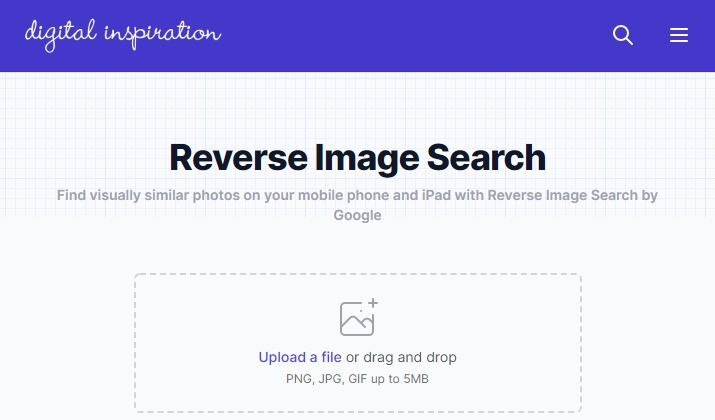
If you are looking for the best reverse image search engine then, Labnol’s Reverse Image Search is the right choice for you.
It is a reverse image search tool, which means that it searches for images that are similar to the one you provide, rather than using keywords or phrases to search for images.
It can also be used to track the usage of an image or to find higher-resolution versions of an image that makes it fun to use.
Labnol’s Reverse Image Search Features:
- Fun to use
- Reverse search engine
- upload image search
- You can upload images
- Ideal for finding similar images
- High-resolution images
- Extract picture
13. Hubble’s Greatest Hits

If you are a space lover and looking for images then, Hubble’s Greatest Hits is the best image search engine for you.
It is a collection of images taken by the Hubble Space Telescope, a spacecraft that orbits the Earth and is used to observe the universe.
The image collection on the site includes some of the most iconic and scientifically significant images taken by the telescope.
Hubble’s Greatest Hits Features:
- Ideal for the space lover
- Collection of different images
- Comes from the Hubble space telescope
- Observer universe
- Great quality
- Iconic images
14. Pixabay

Pixabay is a website that offers a collection of free, high-quality images and videos that can be used for personal or commercial purposes.
The images and videos on Pixabay are licensed under the Creative Commons Zero (CC0) license, which means that they are in the public domain and can be used without attribution.
The Image Search website has a large collection of images and videos that covers a wide range of topics, including nature, animals, architecture, and more.
Pixabay Features:
- Popular site
- Easy to use
- Free to use
- High-quality images
- Comes under the public domain
- Variety of different images
15. National Geographic Photography Collection

The National Geographic Photography Collection is a collection of photographs taken by National Geographic photographers and contributed to the National Geographic Society.
The image Search collection includes a wide range of photographs of people, places, and wildlife from around the world.
It is a valuable resource for researchers, educators, and the general public, and is used for a variety of purposes, including scientific research, education, and public outreach.
National Geographic Photography Collection Features:
- Nonprofit organizations
- Ideal for wildlife lovers
- Collection of different pictures
- Photographs of different peoples
- Easy to use
- Free to use


